Spacing Provider
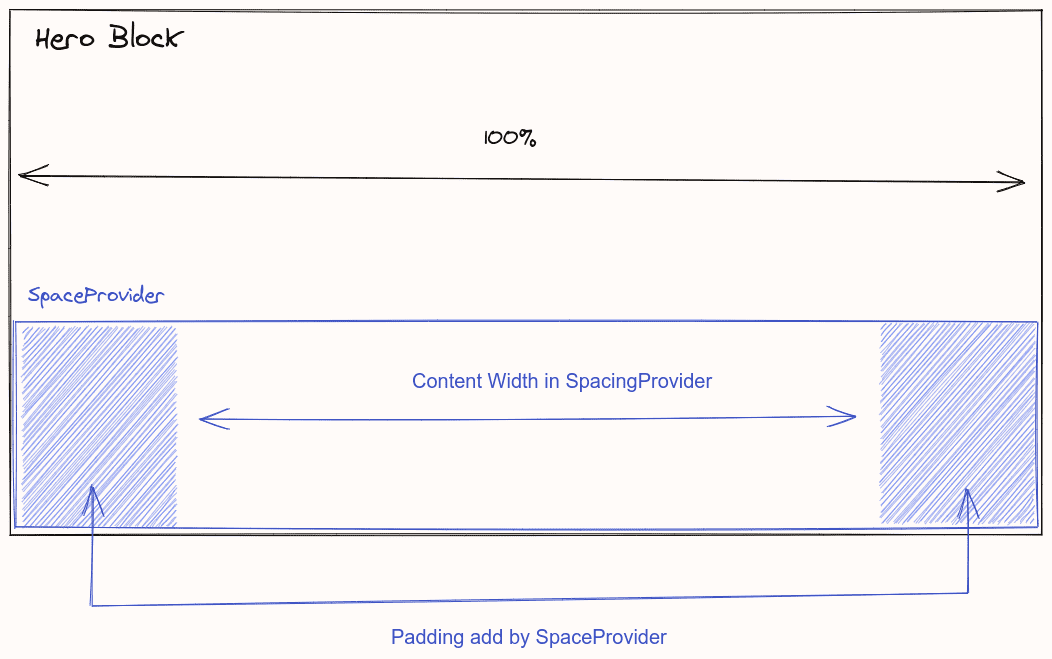
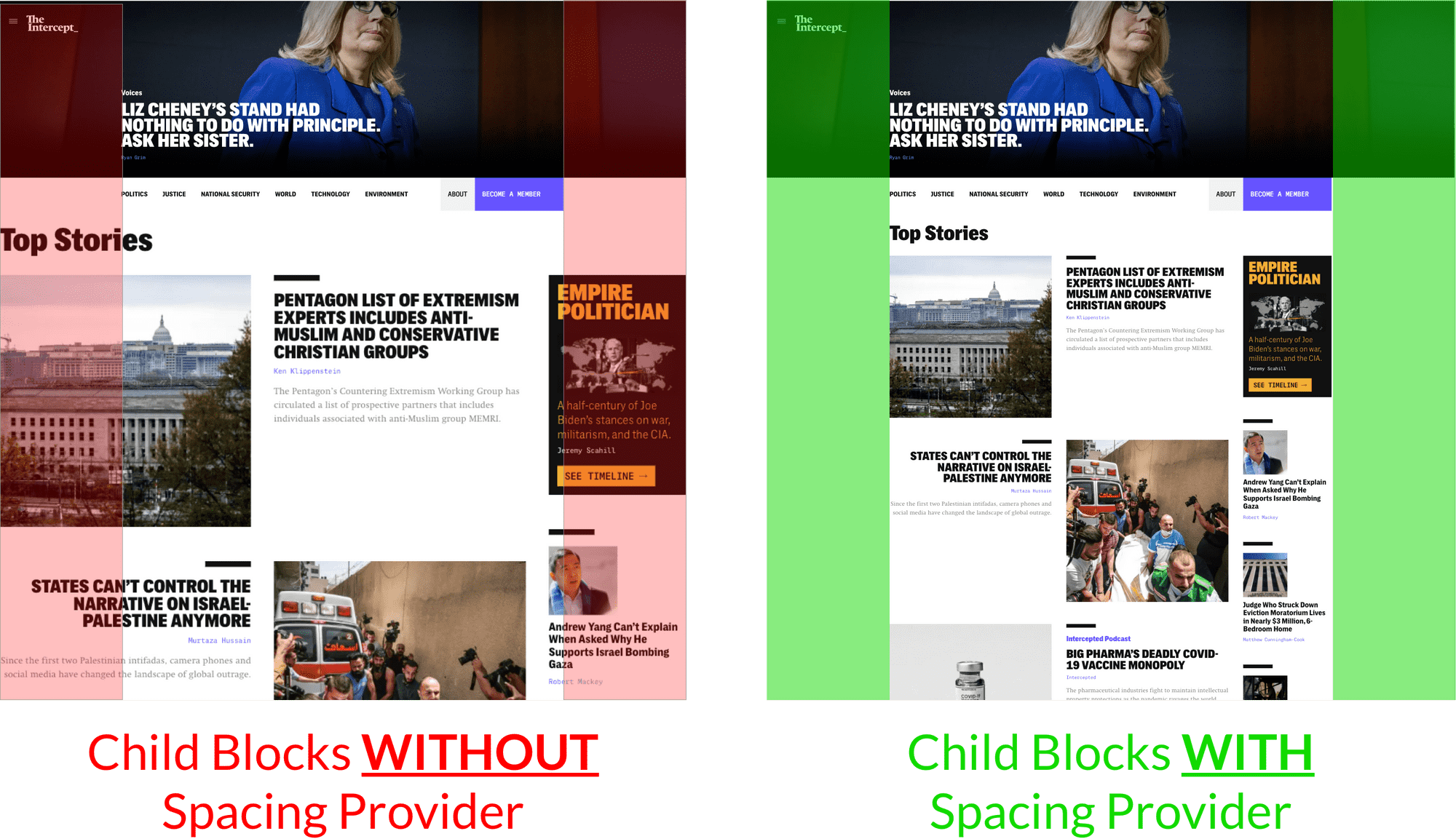
This provider restricts the width of non-hero blocks.
THIS IS A MANDATORY COMPONENT FOR ALL HERO BLOCKS.
-
To use the
SpacingProvider, you will be required to provide a number, e.g.80. This number sets the width of all other blocks on a page. With80set, this means all other blocks are set to width 80% and aligned centre. -
The content in this component will also have the same width restrictions.
SpacingProvider
does not control width of the Hero block. Hero blocks have separate widths. provider.
Only use this component inside a
HeroBlock
and only use it once.
| Props | Type | Mandatory? | Description |
| width | string | ❌ | Defaults to auto. See description below |
| max | string | ❌ | max-width , the rule for values is same as width |
| min | string | ❌ | min-width, the rule for values is same as width |
The type of value used here is a
string
, i.e.
width="80vw"
→
width: 80vw
| slots | Description |
| Default | The content |
Example:
<template>
  <HeroBlock :block="block">
    <SpacingProvider>
      <!-- content -->
    </SpacingProvider>
  </HeroBlock>
</template>
It highly recommended that you set different widths for different breakpoints; much like the TextElement. For example:
{ xs: 100, md: 80 } -> 100% for xs and 80% for viewport >= md
SpacingProvider with only width values.
<SpacingProvider :width="{ xs: '100%', md: '80%' }">
  <!-- content -->
</SpacingProvider>
SpacingProvider with only max width (works like a Tailwind container)
<SpacingProvider :max="{ xs: 'auto', md: '768px' lg: '1070px' }">
  <!-- content -->
</SpacingProvider>
SpacingProvider with both width + max width restrictions.
<SpacingProvider :width="{ md: '80%' }" :max="{ md: '768px', lg: '1070px' }">
  <!-- content -->
</SpacingProvider>